Hacker Newsnew | past | comments | ask | show | jobs | submitlogin
Show HN: I made an AI image enhancer that boosts images 10x to 12k pixels (mejorarimagen.org)
51 points by yangxiaobo on July 18, 2024 | hide | past | favorite | 74 comments
Hey HN,

My wife is a designer, and one day she asked me if there was a tool to enhance images and improve their quality. I recommended a few to her, but she found that the suitable ones were too expensive, and the more affordable options didn't offer enough magnification, most only going up to 2x or 4x.

So, I thought, why not create a tool that meets her needs, one that can greatly enhance image resolution and clarity while being very affordable to use?

After over a month of effort, I finally completed this tool. It can now enlarge images up to 10 times, with a maximum support of 12,000 pixels.

I hope this tool will be as helpful to you as it is to my wife. would love your feedback pls

Charles


Looks cool, but what do you do with the image once uploaded? The FAQ says "Yes, we take security very seriously and ensure that all images uploaded to our platform are protected. Enhancing image quality is safe and reliable." and the Privacy policy looks very generic and not specific to your service.

Are the images deleted after x days? Do you keep to train again? What rights (if any) are you claiming once I use it?


We do not use uploaded images for training, nor do we share them with any third parties. We also regularly delete uploaded images, so you can rest assured your data is safe.


Congrats! Little suggestion if I may, don't use the location of the user to set the default language of the website. Everything on my computer is in English, but your website defaulted to Spanish, as I'm currently in Spain.

Am no expert, but a short article I just found on the topic: https://dev.to/bitdweller/stop-setting-the-language-of-your-...


I'm in Washington, USA and it's showing spanish. That's just the default and they don't even use location to set it.


About 20% of documented residents of washington speak spanish, and up to 52% including bilingual, documented, and undocumented. Thus it is the majority language.


Haha, yes, that's how it is for now. In the future, I will recommend the language based on the browser settings.


In India and Spanish for me too. However, I can select English from the selection dropdown above.

Anyways, why is that even the Big Tech does this! For instance, Google Maps will default to Dutch (which in the land of the Dutch) while my OS, the browser and everything else is in English. I found no option to say “English” and be done with it. I can translate but that isn't the correct way to it.


Yes, I believe a better approach is to recommend the language based on the browser settings, allowing users to switch manually if they prefer. This is my plan, and I will release this feature once it's developed.


Thank you very much for your suggestion. Currently, I don't display the website language based on location; I simply set Spanish as the default language. In the future, I will recommend the language based on the user's browser settings, as mentioned in the article you provided. Thanks again for your suggestion.


it's just in Spanish and not dependent on location


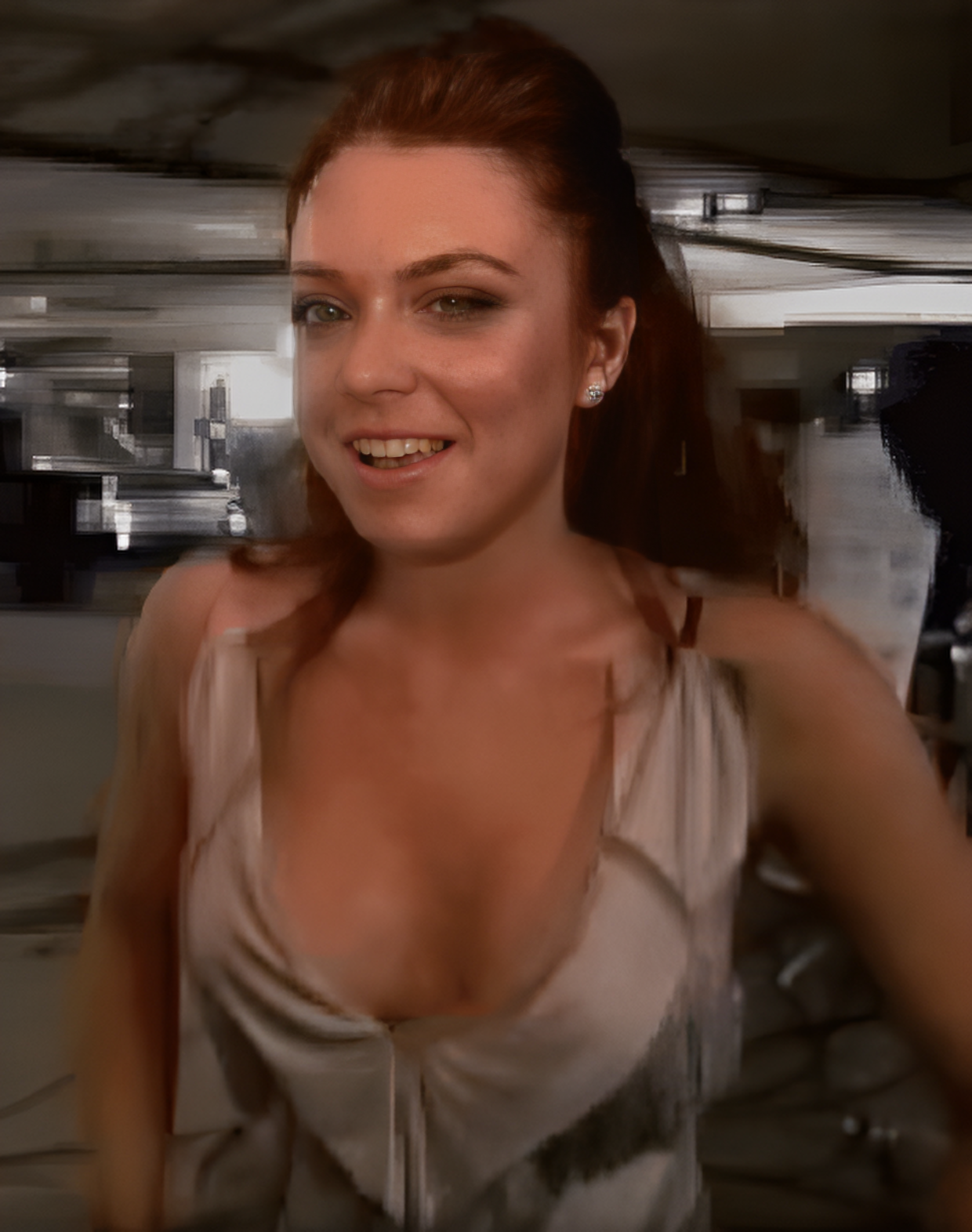
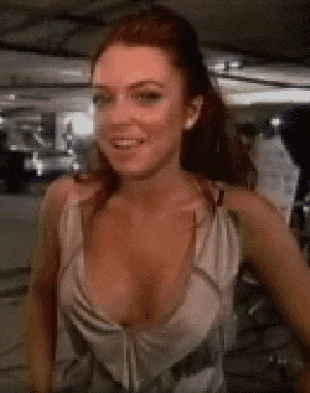
This image may not be a representative test case. It looks like it has heavy compression (including posterization), and overall poor quality. "Quality" meaning things like focus, contrast, and low noise- separate from resolution.


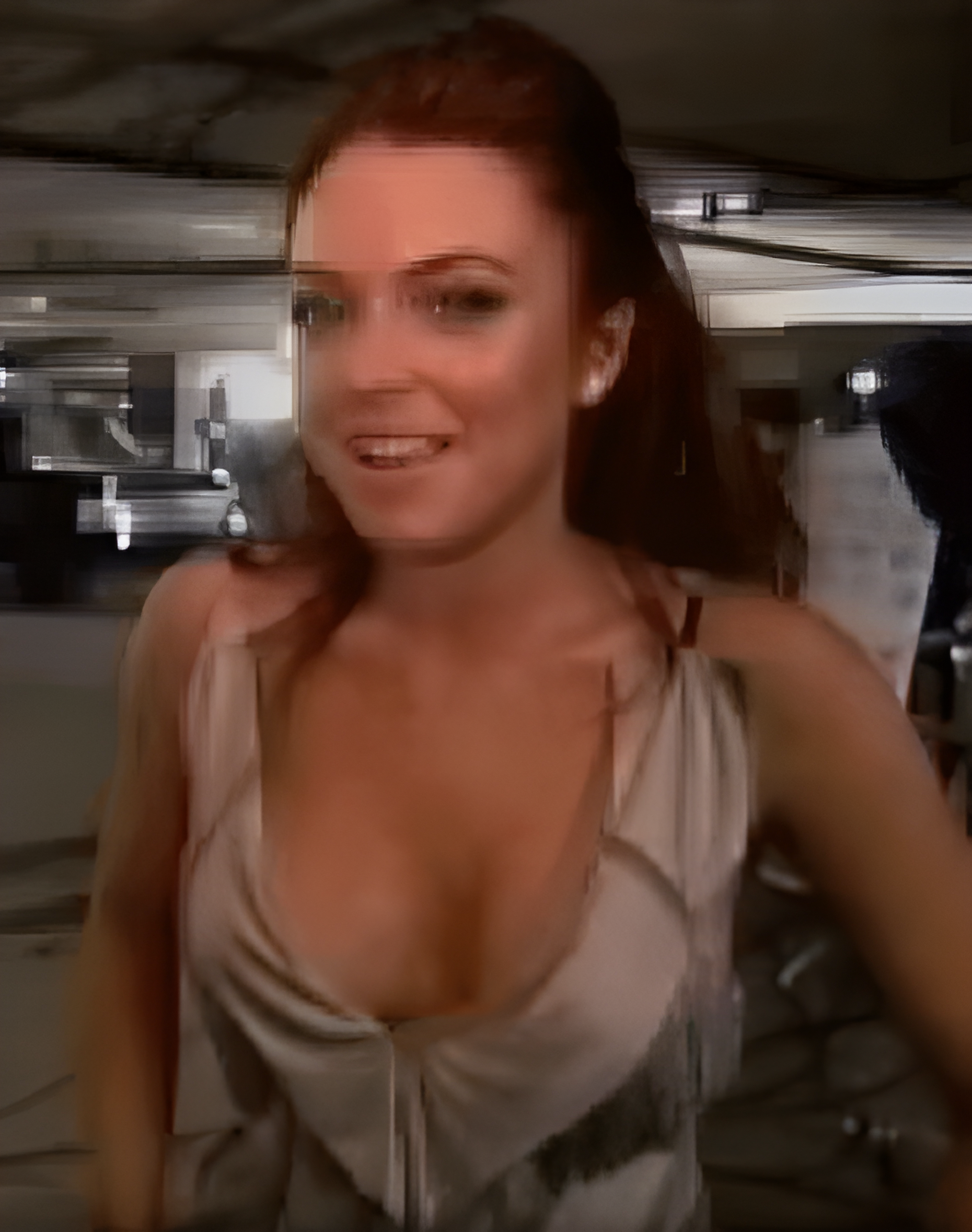
Another point is that by default, we don't apply special processing to faces. However, enabling the face enhancement option will greatly improve the quality of photo images.


It somehow manages to be smoothed over and blocky at the same time


For images involving faces, selecting the "Enhance Portrait" option will yield better results. You can toggle this option after generating the image. Your image will look much better with this option selected: https://file.mejorarimagen.org/4kU68cBDKF-giphy-face-new.png


The original contains artifacts that tend to arise after compression, as the other poster notes (posterization and such). I wonder if you'll get better results if you make the original go through a gaussian to smooth those artifacts, and then feed it to the enhancer.


There’s no reason that you wouldn’t be able to go directly from compression artefacts to a decent output with a correctly trained network. It’s slightly erroneous to call them artefacts as they do hold information, just in a not readily reversible way with conventional upscaling techniques.


Wouldn't that effectively just be losing input resolution?


Yes. Well, kinda. You can maintain the resolution, but you'll be losing information regardless.

But that's what's needed here. The current image contains a lot of compression artifacts, which are extraneous information, and that's what the upscaler seems to want to enhance. Wipe that information out and you're left with the rough structure, which is what we actually want enhanced.


AI is gonna introduce new information to input new resolution from nowhere either which way, so we're just priming and massaging and optimizing our input so as to remove any obstructions that might trip up the AI enhancer. But yes you're right, ideally the enhancer should know how to take into account compression artifacts but this one doesn't.


The "10k" version is no longer available.


Tried it with some typical event photos of people that contain out-of-focus regions.

Did a pretty terrible job.

I.e. at 10k, you should see some skin structure but instead it was just color banding, eyelids had non-existing wrinkles added though etc.

To the author: PM me and I send you some examples, if interested.


Skin texture is very hard it seems. I’m often developing raw photos and the noise reduction often remove skin texture too much. Especially when I was editing photos of our newborn, there is just so much little details that easily gets lost in noise reduction (or compression) that are very clearly visible to the eye.


Most enhancements involve noise reduction, which can indeed lead to some texture loss.


Just a word of caution: all these enhancement tools are making an informed guess to create each new pixel. The original information was lost and no one can't retrieve it, whether it's shape or color. (I've heard technical people claim otherwise.)


You seem to be very generous in your use of the term "technical".


Really interested in this, but it needs additional login options. Not a Google user myself but would like to check this out.


I'm very sorry, I usually use Google the most. Could you please let me know your preferred login method? Email or something else?


How about a simple username and password? Not everyone likes to connect all the things.


Good suggestion. I will consider adding it to the login options.


Agree. I see no reason why Google should be the only means to log in


I'm very sorry, I usually use Google the most. Could you please let me know your preferred login method? Email or something else? I will add some additional login options.


Email is preferred for me (no oauth) unless there is a particular need to access data on something like a Google account for the service to function


Curious, does this use a publicly available model (such as real-esrgan), or is it a custom model?

To reach 10x magnification, is 2x magnification simply consecutively repeated?


I'm also curious about this (as a researcher myself). It would be nice to know what model is used (or if this is actually novel[0]).

It is also worth mentioning the legal issues of this, and since you are charging(?) for this, you can be in legal jeopardy[1]. The architecture might be under some license and if you tuned a model that might also be under a license (it is worse if these are not under a license!). Most research software is under MIT licenses, but it is starting to become less common. If you trained or tuned an existing model that does not necessitate you release the checkpoint, which let's be honest, that's the secret sauce.

[0] I don't expect this as even most of the research is not novel. There's so much railroading where things build on top of one another. But that is also the nature of how we create things. Not by giant leaps.

[1] lol, open source is stolen all the time. Legal action is really unlikely. But let's admit this is unethical.


Thank you for your professional reminder. Currently, I am using a third-party API directly and haven't paid attention to specific licensing details. Your reminder has brought this to my attention, and I will make sure to address it. Thank you for the heads-up.


Currently, we are using a third-party API directly. Based on my tests, if you enlarge an image repeatedly, the first enlargement might make the image too large, causing the second attempt to fail.


After submitting an image, I'm prompted to authenticate with Google - but once I do, and return, I have to re-submit the image.

Also, it does ... not do great with faces, but I also did not expect it to: https://imgur.com/a/GCLbMGp


Great suggestion! I’ve noted this issue and will work on improving the interaction.

For faces, enabling the "Enhance Portrait" option will yield better results.

However, the effect on your image isn't very noticeable even with the option enabled. I've tested other faces and observed a significant improvement with the option turned on. I'm currently unsure where the difference might be.


Wow...it made everything worse.


Haven't tried yet but on a side note: why is the website opening Spanish by default instead of English?


Probably because it's a Spanish website?


Haha, yes, I originally planned to create a Spanish-language website.


Finally all the CSI and detective shows are believable again: ENHANCE!!!


These enhance effects typically use guesswork. That would be useful to gain hints, but not to know for sure what the original looked like.


The one exception being video-based image super-resolution techniques, where the frames of the video are composited together to gain more information than is in any individual frame (which is also how MRIs work!)

Tangent to that: does anyone know if there are any free-to-use tools (or open-source models) for doing video-based image super-resolution?

(I imagine that such a tool could take video files directly; but that the actual underlying model would likely require that you first convert your video into an image containing a grid of sampled frames, making it essentially an image2image model that learns to sample from reference images. A bit like the image2image models trained to output depth maps given stereo-camera photo pairs.)


Unless the rest of the image offers details that the human observer would ignore but the AI would pick up. E.g. low res photo from 1828 of a US president - enhance to John Quincy Adams.

Surprisingly there's a daguerreotype of John Quincy Adams from 1843[1], the AI could use that; perhaps "enhance" the time backwards a bit, to make him 15 years younger.

[1]: https://en.m.wikipedia.org/wiki/File:John_Quincy_Adams_-_cop...


Isn't that what Samsung was doing with photos of the moon?

https://www.theverge.com/2023/3/13/23637401/samsung-fake-moo...

But I also had a similar thought. Use a combination of an image search engine like TinEye, and something like ClearviewAI, to actually either find a larger image of the submitted photo, or of more photos of the person in question, and reconstruct what they look like based on all of that additional data.


Yes. But I'd like to take it one step further.

E.g. if I send a photo of an olympic podium where winners are pixelated and ask the AI to enhance, I'd like it to use other elements of the pixelated photo to recognize the olympic event and year, search some other database to find the winners and enhance the photo so that the people on the podium were those who actually stood on that podium.


Right, and that would be guesswork unless the image had been explicitly tagged.


There are search engines that search for similar images; a small photo of John Quincy Adams may be 99.99% identifiable as such.


An educated guess then, maybe even a good one!

What happens if it's only 80% sure? Do you get a high-res John Quincy Adams or an admission that it can't identify the image content? If I feed it a low-res picture of Michael Faraday or Henry Clay, will I receive the finely sculpted jowls of John Quincy Adams in return?


Guesswork, deduction, tomayto, tomahto ;)


I’m going to train an AI in Visual Basic, see if we can spot the killer


You forgot to zoom first.


Great work man, i would love to know more about the process! did you take existing images and degrade them then use the high res version as a confirmation or how'd you do it?


In the demo image, I used a relatively blurry picture for enhancement, so the difference appears more noticeable.


i meant how did you prepare the dataset for training


I experimented with several images featuring people and pets. The processed results were so similar to the originals that it was difficult to discern any changes.


Your original image might already be quite clear, so a simple comparison makes it hard to notice differences. I've tested with some clear images, and the differences become more apparent when carefully compared.


If I understand correctly, there are 5 free credits (= 5 images) when I create an account. Do you plan to offer more free credits over time? Or have a plan that doesn't require a subscription?

The product looks very nice, but I'm not willing to get a monthly subscription for this (I could pay, but I have very occasional needs).


Great suggestion! I plan to add an option to purchase credits separately, which can be used indefinitely once bought. I'll release this feature as soon as it's developed.


I work with small details from large images so I need something that will enhance the to a nice, sharp final resolution when I need to enlarge it. This tool worked very well with the samples I provided it. Great job!


Glad to hear it's helpful to you!


10x res is a lot. Do you do it in a single shot, or do you use multiple smaller steps (e.g. hitting it with 2 4x enhancements for 16x the res)?

Also:

12000 pixels is a 110 x 110 image.

12000 x 12000 would be 144 megapixels.


We completed it all at once.


Let me guess, it is just a Stable Diffusion wrapper?


Haha, unfortunately, you guessed wrong—it’s not Stable Diffusion.


Good work, what are you using on the backend for this?


Looks great. Nice job, thanks for making this.


thanks


Guidelines | FAQ | Lists | API | Security | Legal | Apply to YC | Contact

Search: